10 Red Flags When Outsourcing Software Development

Share post on

Table of Contents

Outsourcing software development can be a smart move. It helps reduce costs, speeds up delivery, and gives you access to skilled developers from around the world. But let’s face it — it’s not always smooth sailing. If you don’t choose the right partner, you could end up with delays, low-quality work, and even security risks.

10 Red Flags When Outsourcing Development Software

To protect your time, budget, and goals, it’s important to spot the warning signs early. In this article, we’ll walk through the top 10 red flags to look out for when outsourcing development work. Whether you’re running a startup or managing a large company, these insights will help you avoid major headaches and make better outsourcing decisions.

What to watch for:

  • Delayed or no replies
  • Confusing or vague answers
  • No regular progress updates

Why it matters:

Communication is key to any successful project. If it’s poor, things quickly fall apart — you’ll deal with misunderstandings, delays, and a lot of back-and-forth.

Risks:

  • Confusion about goals
  • Missed deadlines
  • Wasted time on rework

What to do:

Use tools like Slack, Zoom, Jira, or Trello to stay connected. Set regular meetings and make sure someone is always available to answer your questions.

Example:

A business outsourced a basic e-commerce store. They requested changes to the checkout midway, but due to miscommunication, the dev team misunderstood. It ended up costing two extra weeks in revisions.

2. No Proven Track Record

  • Clean design
  • Easy navigation
  • Mobile-first layout
  • Fast page load time

Tip: Think like a customer. What would you expect from a store you love?

Helpful tools:

  • Figma – for UI/UX design and wireframing
  • Hotjar – for understanding user behavior (heatmaps, session recordings)

3. Design That Builds Trust

Looks matter.

Make sure to:

  • Use high-resolution product images
  • Write clear, benefit-focused product descriptions
  • Use brand-consistent fonts and colors
  • Add social proof like reviews, testimonials, and trust badges

Helpful tools:

  • Canva – for product image editing and banners
  • TinyPNG – to compress images for faster loading

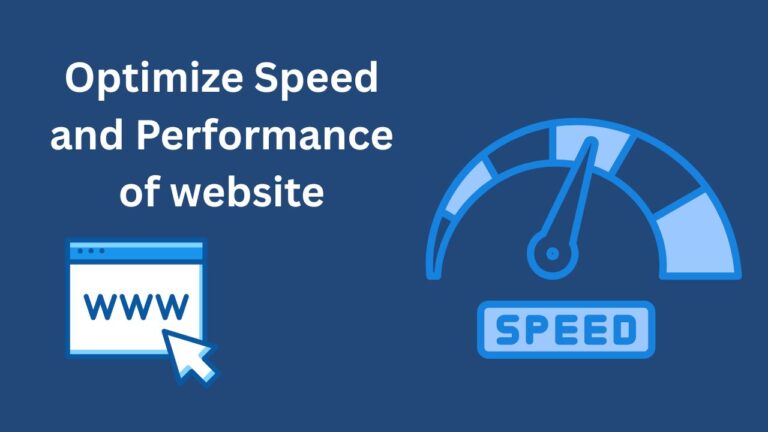
4. Optimize Speed and Performance

optimize speed and performance of webssite

Fast websites sell more.

Improve performance by:

  • Compressing images
  • Using browser caching and a CDN
  • Minimizing CSS and JavaScript files
  • Choosing reliable and fast hosting

Helpful tools:

5. Search Engine Optimization (SEO)

If people can’t find you, they can’t buy from you.

To boost visibility:

  • Use the phrase “e-commerce site development” naturally
  • Write unique, optimized product descriptions
  • Use internal linking between related pages

And don’t forget—good SEO helps both small startups and large eCommerce development companies stand out in search results.

Helpful tools:

6. Set Up Your Product Pages Properly

These are your sales drivers.

Each product page should include:

  • Product name, summary, and description
  • High-quality images
  • Pricing, discounts, and stock info
  • Customer reviews and FAQs
  • Related or recommended items

Your product pages should be clean and conversion-focused.

7. Streamline the Checkout Experience

A simpler checkout means higher sales.

Make it user-friendly:

  • Allow guest checkout
  • Offer multiple payment options
  • Keep the process to one or two steps
  • Send clear confirmation messages and emails

A professional eCommerce software development team can help you implement one-click purchasing or cart reminders.

Helpful tools:

8. Secure Your Website

secure your website

Customers won’t shop if they don’t feel safe.

Ensure:

  • SSL certificate is installed (HTTPS)
  • PCI-DSS compliance for payments
  • Clear policies on privacy, returns, and shipping
  • Data protection with secure logins, firewalls, and backups

Helpful tools:

Final Thoughts

E-commerce site development is not just about creating an online store — it’s about building a complete ecosystem that helps you sell, grow, and succeed.

Whether you’re just starting or looking to level up, these tools and resources will make your journey smoother and more professional. You don’t have to do it all manually. Use the right tools. And when needed, don’t hesitate to hire eCommerce developers or work with a trusted eCommerce development company to get expert help.
Your future store is just a few smart steps away.